Why ChatGPT Fails at Career Center Content (And What Works Instead)
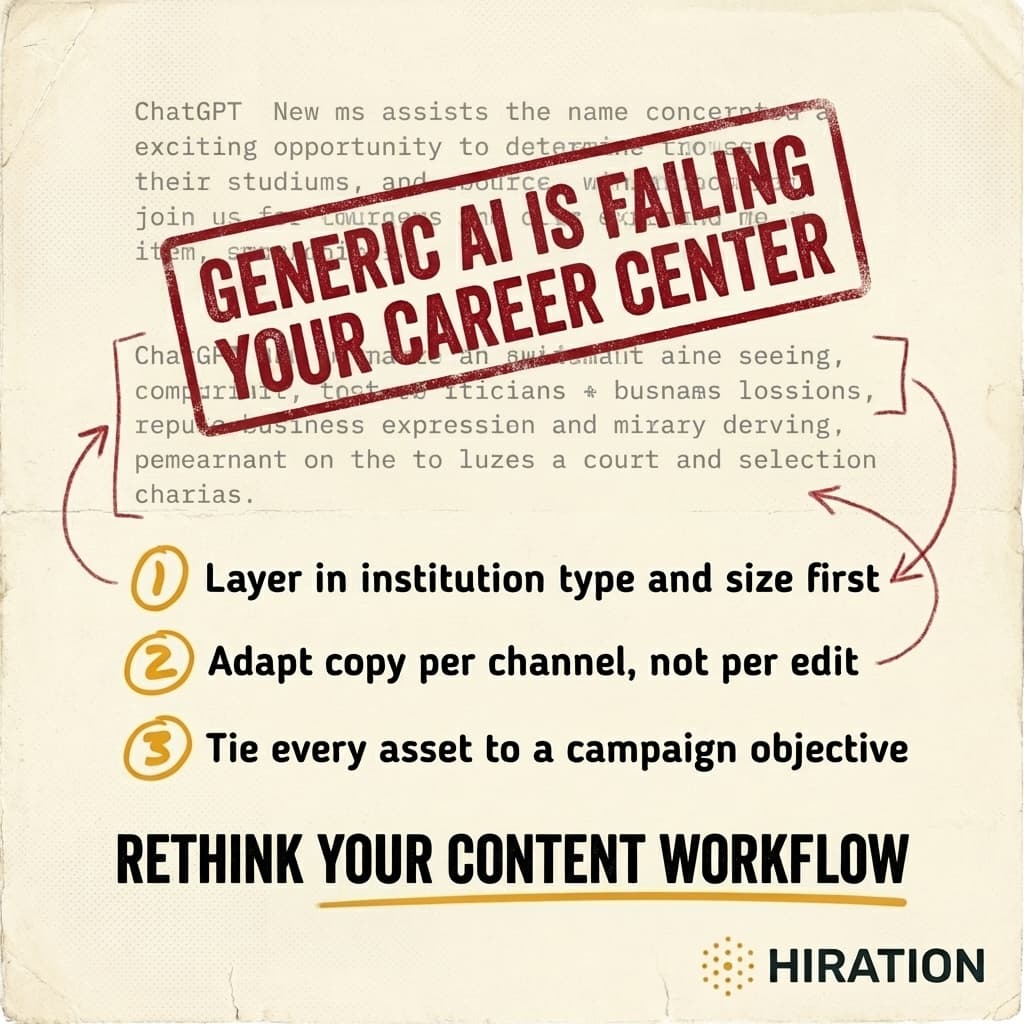
Visual by Campaign Studio · Generate your own for free
You can get ChatGPT to write a passable Instagram caption in about 12 seconds. But "passable" is the problem. The output reads like it was written for every career center and no career center at the same time.
That generic quality isn't a flaw in the model. It's a flaw in how career centers are using it. And until you understand exactly where the breakdown happens, you'll keep burning time editing AI drafts that needed to be rewritten from scratch anyway.
Generic prompts produce generic content because context is everything
Picture this: a career advisor at a 4,000-student community college and a marketing coordinator at a 45,000-student R1 both type "write an Instagram post promoting our career fair" into ChatGPT. They get nearly identical output. Something about "exciting opportunities" and "connecting with top employers" and "don't miss out!"
Neither version mentions that the community college fair features mostly regional healthcare employers and trades companies. Neither acknowledges that the R1 fair has 200+ booths across three buildings and requires students to pre-register through Handshake. The AI doesn't know these things because nobody told it. And most people don't tell it because they underestimate how much context actually shapes good copy.
Here's what the AI needs to know before it can produce anything worth posting:
- Institution type and size. A commuter campus talks to students differently than a residential one. Tone, urgency, even vocabulary shift.
- The specific event or resource. Not "career fair" but "Spring Career & Internship Expo focused on STEM and healthcare, held in the Student Union ballroom, 85 employers confirmed."
- The audience segment. First-gen sophomores who've never attended a career event need a different message than graduating seniors who've been to three already.
- The channel. An Instagram Reel, a Handshake announcement, and a follow-up email are three different writing jobs. Full stop.
Most career centers skip at least two of these. Then they spend 20 minutes editing the output into something usable, which defeats the purpose of using AI in the first place.
If your campus team is exploring AI for content, Campaign Studio can save you a few hours each week.
See how it worksThe real cost isn't bad copy. It's wasted staff time.
A three-person career services team serving 6,000 students doesn't have time to play prompt engineer. Every minute spent coaxing decent output from a general-purpose chatbot is a minute not spent on student appointments, employer relationships, or programming.
And the editing tax is real. When AI gives you a draft that's 60% right, you still have to identify what's wrong, decide what to keep, rewrite the rest, and adapt it for each platform. That's often slower than writing from scratch with a good template.
The teams getting the most from AI aren't the ones writing better prompts. They're the ones using tools where the context is already built in. Where the system already knows it's writing for a mid-size public university's Instagram account, targeting first-year students, as part of a career fair awareness campaign. No 400-word prompt required.
A step-by-step fix for your next campaign
If you're going to keep using ChatGPT or a similar general model, at minimum do this:
- Start with a context block. Before asking for any content, paste a paragraph describing your institution, your office's voice and tone, and your student demographics. Save this as a reusable snippet.
- Specify the channel and its constraints. "Write an Instagram caption under 150 words with a hook in the first line" produces dramatically better results than "write a social media post."
- Name the audience segment. "Undeclared sophomores who haven't engaged with career services yet" gives the AI something to work with. "Students" doesn't.
- State the campaign objective. Are you driving RSVPs? Building awareness? Encouraging walk-ins? The call to action changes depending on the answer, and AI won't guess correctly.
- Generate per channel, not per edit. Don't write one post and then try to "adapt" it for email, Handshake, and a flyer. Each format deserves its own generation with its own constraints baked in.
Will this take more setup than a one-line prompt? Yes. Will it cut your editing time by 70% or more? In our experience, absolutely.
The best AI content tool for career services isn't necessarily the smartest general model. It's the one that already understands your world before you start typing. If your current tool doesn't, compensate by front-loading every piece of context you can. Try it on your next campaign this week. Write the context block once, reuse it for every asset, and compare the output quality to what you've been getting. The difference will be obvious.
Frequently Asked Questions
Why does ChatGPT produce generic career center content?
ChatGPT lacks context about your institution type, student demographics, specific events, and channel requirements. Without that information, it defaults to broad, one-size-fits-all language that could apply to any university. Providing detailed context in your prompt significantly improves output quality.
How can career centers write better AI prompts for social media?
Include a reusable context block with your institution type, office tone, and student demographics. Then specify the exact channel, audience segment, and campaign objective for each piece of content. Generating separately for each platform instead of adapting one draft produces much stronger results.
What AI tools work better than ChatGPT for higher ed career services?
Purpose-built tools designed for higher education content already have institutional context, channel formatting rules, and student audience segments built in, so you spend less time prompting and editing. Look for platforms that let you set your institution profile once and generate channel-specific content tied to campaign goals.
How much time do career centers waste editing AI-generated content?
Teams commonly report spending 15 to 25 minutes per piece editing generic AI output, which often approaches the time it takes to write from scratch. Front-loading context into prompts or using specialized tools can reduce editing time by 70% or more per asset.
Most higher ed teams are still stitching AI together by hand
Campaign Studio turns one idea into a full campaign across Instagram, LinkedIn, email, Handshake, and LMS. Weekly engagement runs on autopilot. Event campaigns build on demand.
Run Your First Campaign