Student Engagement Platforms: 5 Questions Small Career Teams Should Ask
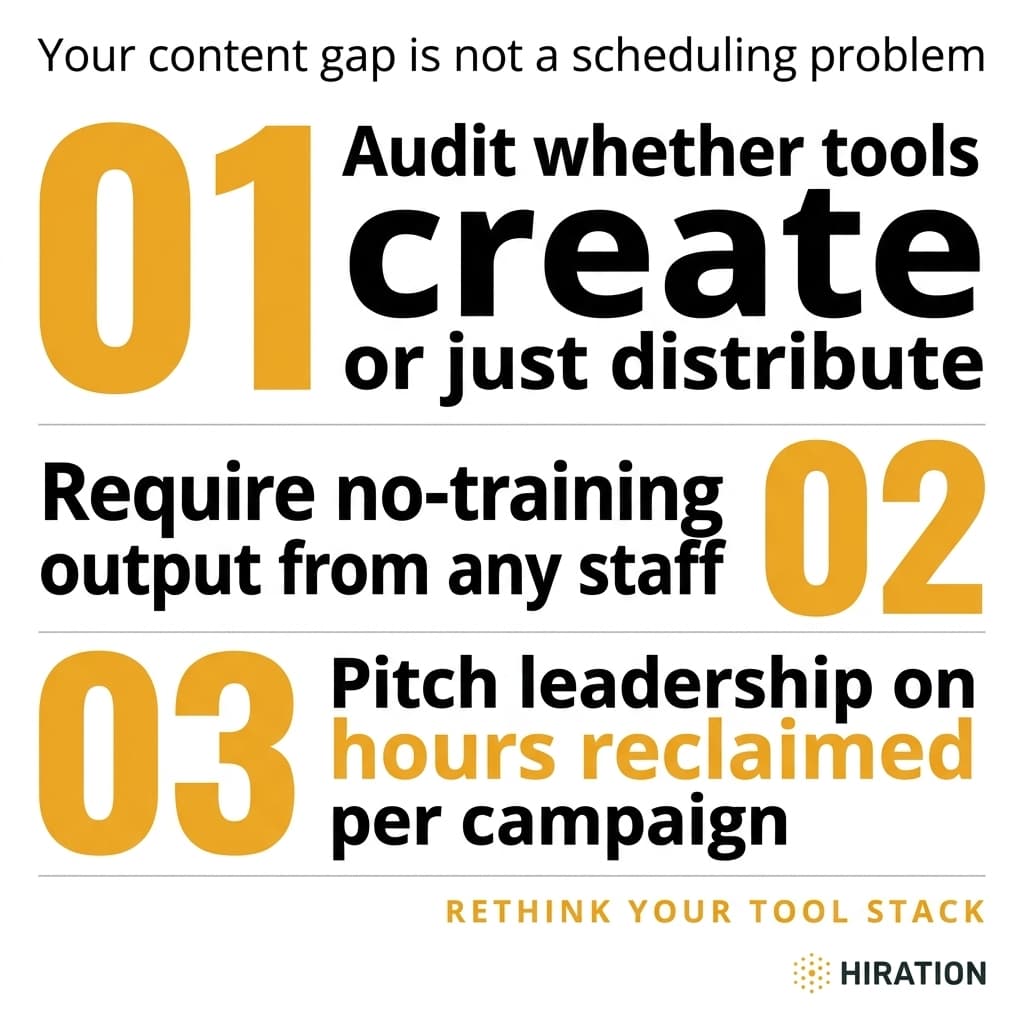
Visual by Campaign Studio · Generate your own for free
Most career center teams don't have a strategy problem. They have a production problem. A three-person team managing Handshake, Instagram, LinkedIn, email campaigns, and an LMS portal doesn't need another brainstorming session about "meeting students where they are." They need to stop losing 6+ hours every time leadership wants a multi-channel push for career fair week.
When it's time to evaluate new tools, the instinct is to pull up a feature comparison spreadsheet. Templates, scheduling, analytics, integrations. Check, check, check. But feature lists don't tell you whether a platform will actually solve the bottleneck that's burning out your staff. The right questions do.
The Real Bottleneck Isn't Scheduling. It's Content Production.
Picture this: your director wants a campaign promoting spring employer info sessions. You need an Instagram carousel, a LinkedIn post, two emails (one for freshmen, one for seniors), a Handshake announcement, and maybe a digital flyer for the student center screens. That's six pieces of content minimum, each with different dimensions, tone, and audience expectations.
On a team of three, who's making all of that? Usually one person. And they're toggling between Canva, Mailchimp, Handshake's admin panel, and Instagram's native editor while also fielding walk-in appointments and prepping for a resume workshop at 2 PM.
The scheduling part is solved. Buffer, Hootsuite, Later. Fine. But scheduling empty slots doesn't help when the content to fill them doesn't exist yet. Most tools in the career services space distribute content. Very few actually create it. That distinction matters more than any feature matrix.
If your career services team runs social campaigns, Campaign Studio can save you a few hours each week.
See how it worksWhat Do Most Career Centers Get Wrong During Tool Evaluation?
They buy platforms built for marketing teams of 15, then wonder why adoption stalls after month two. Or they pick a tool because another institution's career center recommended it at a conference, without asking whether that team had a dedicated communications coordinator (yours doesn't).
Three common mistakes show up repeatedly:
Evaluating for the ideal workflow, not the actual one. Your team doesn't have a content strategist who maps campaigns four weeks out. Your workflow is reactive. Someone mentions an employer visit on Thursday, and you need promotional assets by Tuesday. The tool needs to match that pace.
Ignoring the training tax. Every new platform comes with onboarding hours. If only one team member can operate it confidently, you've created a single point of failure. When that person is out sick during career fair week, you're back to square one.
Confusing analytics with impact. A dashboard showing impressions and clicks looks impressive in a slide deck. But leadership at most institutions doesn't care about your Instagram reach. They care about event attendance, appointment bookings, and employer satisfaction scores. If your tool can't connect its output to those outcomes, the data is decorative.
5 Questions That Actually Predict Whether a Platform Will Work
Forget the feature checklist. Before your next demo call, run every tool through these five filters.
1. Does it solve the content bottleneck, or just add another dashboard?
Ask the vendor to show you exactly how a single campaign goes from idea to finished assets for three channels. Time it. If the demo takes 45 minutes of clicking through templates and adjusting layouts, multiply that by the reality of your Tuesday afternoon. You need idea-in, campaign-out in under 20 minutes or it won't get used consistently.
2. Does it layer into your existing stack rather than replace it?
You're not leaving Handshake. Your institution has an LMS. Email goes through whatever system IT approved three years ago. The right tool doesn't ask you to abandon those platforms. It produces the content that flows into them. A platform that requires you to post from its own interface is asking you to manage yet another channel, not fewer.
3. Can any team member produce channel-ready output without design training?
This is the question that separates tools built for career centers from tools adapted for them. Hand the platform to your least design-savvy colleague. Give them a prompt: "Promote next week's nursing career panel." If they can produce an Instagram post, email copy, and a Handshake-ready announcement in one sitting without asking for help, the tool passes. If they need a tutorial video first, it fails.
4. Does it understand higher ed tone, compliance, and audience constraints?
Generic marketing tools produce generic marketing content. Career services operates in a specific world. You can't use stock photos of professionals in suits when your students are 19-year-old nursing majors. You need to account for FERPA. Your tone has to land somewhere between institutional professionalism and the casual register that actually gets a sophomore to stop scrolling. Ask vendors how their tool handles these constraints. Vague answers like "it's fully customizable" are a red flag.
5. Can you show leadership a clear before-and-after on time spent per campaign?
This is the budget question. Not "does it have good analytics" but "can I walk into my VP's office and say we used to spend 8 hours producing a career fair campaign across five channels, and now we spend 90 minutes?" That's the metric that renews subscriptions. Hours reclaimed per campaign translates directly into staff capacity, which translates into more student touchpoints, which is what leadership actually wants to see.
How Do You Pitch a New Tool to Leadership With Limited Budget?
Don't lead with features. Lead with time.
Pull your last three multi-channel campaigns. Estimate the hours each one consumed from concept to completion, across all staff involved. Include the invisible time: the back-and-forth on design feedback, the reformatting for different platforms, the "can you make the logo bigger" email chain.
Now present the alternative. "This tool reduces that 8-hour process to 90 minutes. Over 20 campaigns per semester, that's 130 hours returned to direct student contact." At a mid-size institution where career services is already understaffed, 130 hours is a compelling number. It's roughly three additional weeks of staff capacity without hiring anyone.
If you can pair that with even anecdotal evidence of improved engagement (higher email open rates from better-designed templates, more consistent Instagram posting leading to follower growth), you've built a case that's hard to ignore.
Why "Purpose-Built for Career Services" Isn't Just Marketing Language
General-purpose content tools assume you have a brand guide, a content calendar mapped through Q4, and someone whose entire job is communications. Career centers at institutions with 3,000 to 15,000 students almost never have that. They have counselors who also do marketing. Advisors who also manage the Instagram. A director who also writes the newsletter.
Tools built specifically for this environment make different architectural choices. They pre-load higher ed contexts. They constrain design options in ways that prevent off-brand output without requiring a style guide. They produce multiple formats from a single input because they understand that's the actual workflow: one idea needs to become five things in 15 minutes.
Campaign Studio was built on exactly this premise after 8+ years working inside career centers. One idea in, full multi-channel campaign out, no design staff required. It layers into Handshake, your LMS, and email rather than competing with them. But regardless of which tool you evaluate, the five questions above will tell you whether it's built for your reality or someone else's.
One Thing to Do This Week
Pull up your last career fair campaign. Every asset, every channel. Write down how many hours it took from first draft to final post, across all team members. That number is your baseline. Bring it to every vendor demo you take this spring, and ask them to beat it on camera. The ones who can are worth your time. The ones who pivot to talking about analytics dashboards aren't.
Frequently Asked Questions
What is the biggest challenge small career center teams face with student engagement?
Content production, not strategy or scheduling. A team of 2-3 people serving thousands of students typically spends 6-8 hours creating assets for a single multi-channel campaign across Instagram, email, Handshake, and LinkedIn. That production bottleneck limits how many campaigns they can run and how consistently they show up on each channel.
How do I justify the cost of a new career services tool to university leadership?
Lead with hours reclaimed, not features. Calculate the total staff hours spent producing your last few multi-channel campaigns, then show how a new tool reduces that time. Framing it as "130 hours per semester returned to direct student contact" resonates more with VPs than engagement metrics alone.
What should career centers look for in a content creation tool?
Prioritize tools that produce channel-ready content from a single input, require no design training for any staff member, and integrate with your existing platforms like Handshake and your LMS. Avoid tools that add a new dashboard without actually reducing the time it takes to go from idea to finished campaign assets.
Why don't general marketing tools work well for career services teams?
General tools assume you have dedicated communications staff, a brand guide, and a content calendar planned weeks ahead. Most career centers operate reactively with counselors and advisors doubling as marketers. Purpose-built tools account for higher ed tone, FERPA constraints, and the reality that one person needs to produce five different assets in a single sitting.
Your Career Services team is already doing this work manually
Campaign Studio turns one idea into a full campaign across Instagram, LinkedIn, email, Handshake, and LMS. Weekly engagement runs on autopilot. Event campaigns build on demand.
Run Your First Campaign